Home › Plants, Gifts, Toys & More › Gift-tree-commercial-stainless-steel-kitchen-zero-error-four-channel-timer
$79.19 AUD
Commercial Stainless Steel Kitchen Zero Error Four-channel Timer
$79.19 AUD
Approx $55.83 USD
Description:
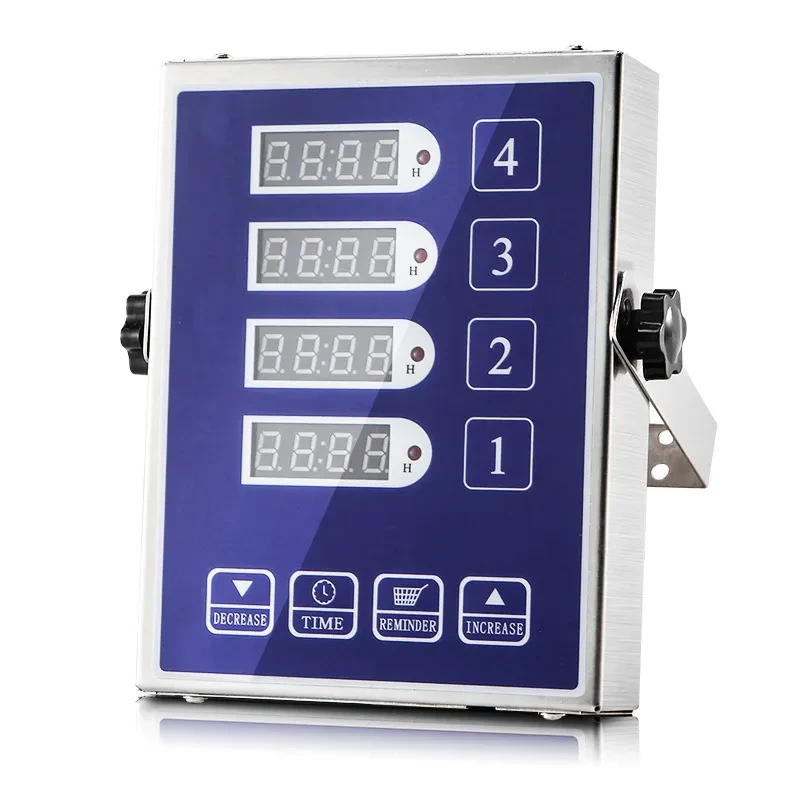
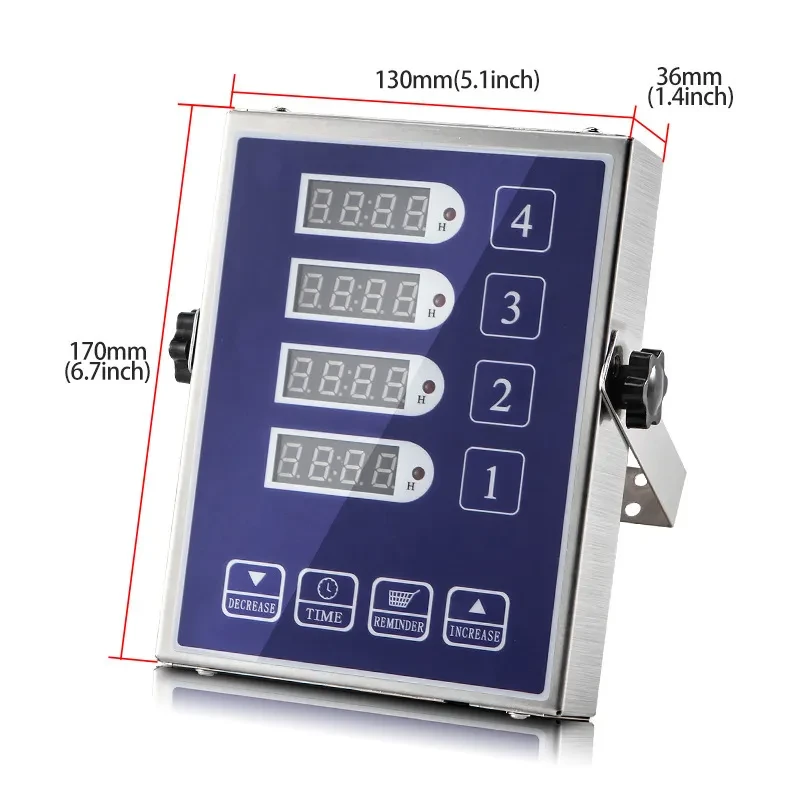
Enhance your culinary precision with our Commercial Stainless Steel Kitchen Zero Error Four-Channel Timer. Designed for professional chefs and home cooks alike, this timer allows you to manage multiple cooking tasks simultaneously with accuracy and ease.
Key Features
-
Four-Channel Functionality
- The four-channel design enables you to set independent timers for different dishes, ensuring everything is cooked to perfection without confusion.
-
Zero Error Technology
- Engineered for precision, this timer features advanced technology that minimizes errors in timing, providing reliable results every time.
-
Durable Stainless Steel Construction
- Built to withstand the rigors of a commercial kitchen, the stainless steel body is not only stylish but also resistant to wear and tear.
-
Easy-to-Read Display
- The large LCD screen displays clear, easy-to-read numbers, making it simple to monitor multiple timers at a glance.
-
User-Friendly Controls
- Intuitive buttons allow for quick and easy programming of timers, making it suitable for chefs of all skill levels.
Benefits
-
Increased Efficiency
- Manage multiple cooking processes simultaneously, improving your workflow and reducing the risk of overcooking.
-
Accurate Timing
- Ensure consistent results with precise timing for each dish, elevating your cooking and baking skills.
-
Versatile Use
- Ideal for various culinary tasks—whether in a commercial kitchen, catering, or at home—this timer meets all your timing needs.
-
Easy Maintenance
- The stainless steel surface is easy to clean, ensuring hygiene and longevity in a busy kitchen environment.
-
Great for Professional and Home Use
- Perfect for chefs, bakers, and cooking enthusiasts who value accuracy and efficiency in their culinary practices.
How to Use
-
Setting the Timer:
- Press the corresponding button for the channel you wish to set. Enter the desired time using the numerical keypad.
-
Starting the Timer:
- Once the time is set, press the start button. The timer will count down, and the display will show the remaining time.
-
Monitoring Timers:
- Keep an eye on the LCD display to monitor all active timers. Each channel can be started and stopped independently.
-
Resetting Timers:
- To reset a timer, press the reset button for the corresponding channel, then set a new time if needed.